

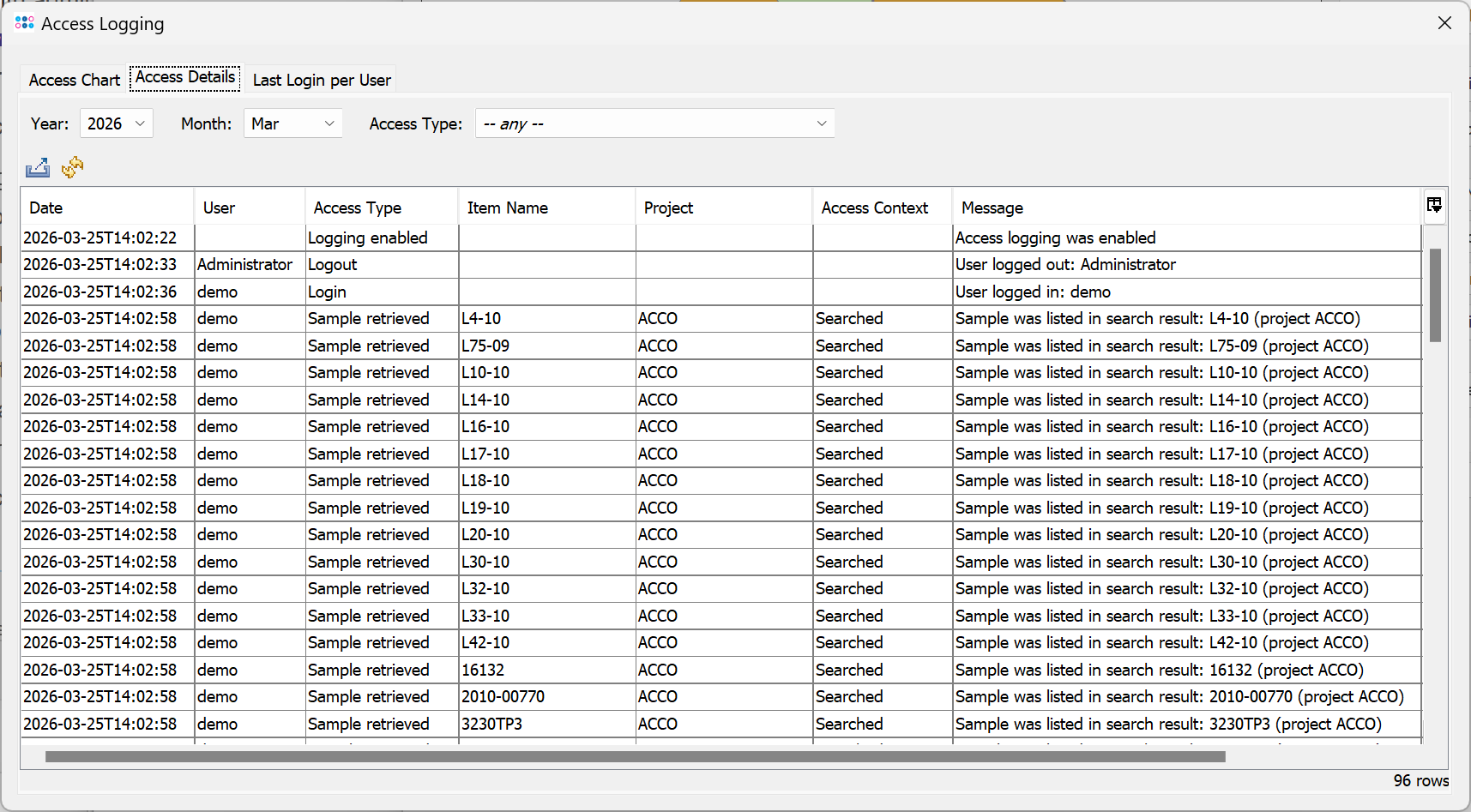
The access logging is disabled by default. It can be enabled and viewed by the Administrator (or any user with administration rights) by invoking the menu item  Administration | Server System Administration. The button Server Logging then opens a drop down menu with functions to Enable server access logging and to Show server access logging.
The access logging window contains three tabs:
- A graph to visualize the access logging events
- A monthly table showing all access logging events
- A table with the last login time for each user (since access logging was enabled)
The access logging tracks the following events:
- Login/Logout of a user
- Storing a sample
- Retrieving a sample (load to workspace, list in search result, export to a file or to a comparison table)
- Deleting a sample
- Retrieving a comparison table snapshot
- Enabling/Disabling of access logging
- Time of last login for each user
The access logging are stored as monthly CSV files in the subdirectory access of the server's working directory. They are not deleted automatically.
FOR RESEARCH USE ONLY. NOT FOR USE IN CLINICAL DIAGNOSTIC PROCEDURES.